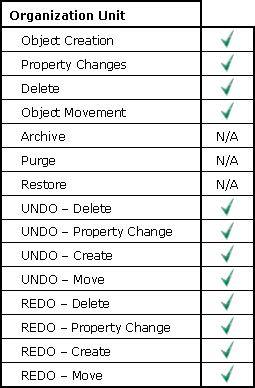
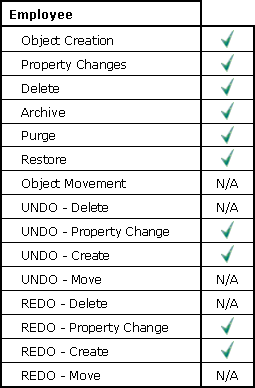
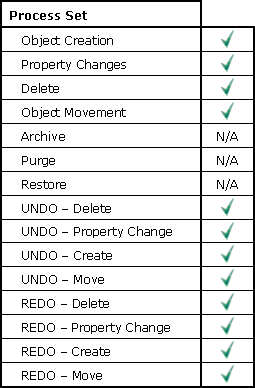
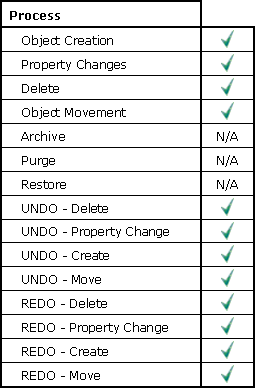
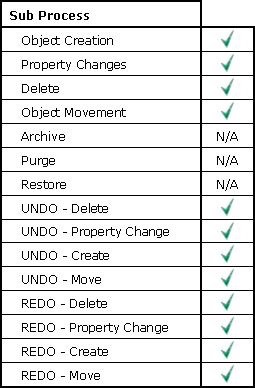
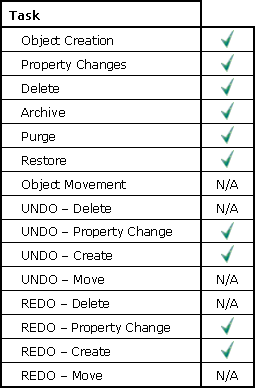
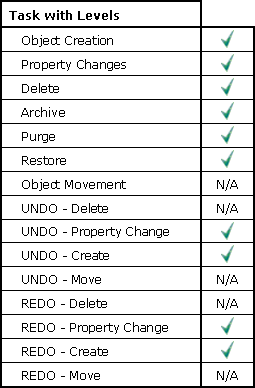
to see what changes are tracked for each object).
|
|
Data Change History consists of tracking modifications to certain key objects in the application. In order to track data history, an option must be set in the Tools/ System Options/ History tracking (in order to enable this feature)
These objects include: (click to see what changes are tracked for each object).
Organization
Unit
Employee
Process
Set
Process
Sub
Process
Task
Task
with Levels
To obtain Data Change History, you would create a Data Change Report - selecting only the objects you wish to see, and the time frame for which you wish to report on.
Possible Reasons to Use the Data Change Report:
Someone has modified an object that you initially created. You may wish to find out who is using your objects, to see if the reuse is feasible, or if a separate object should be created.
|